 Deutschland
 España
 France
 Italia
 United Kingdom












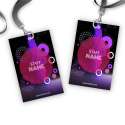

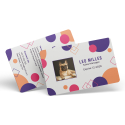







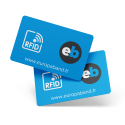
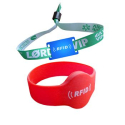
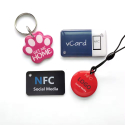

Do you print access badges, loyalty cards, event passes, or student ID cards? Then you are most likely using PVC, this durable plastic that has won over companies, institutions, and event organizers. Its strength, professional appearance, and compatibility with RFID technologies have made it the standard.
But when it comes to large-scale printing, one detail makes all the difference: the printing technique. Digital, thermal, or offset? Each method affects visual rendering, durability, unit cost, and production lead times. Are you looking for a sharp and vibrant design? Printing in large quantities? Do you need personalization on a per-card basis?
This guide shows how these three processes differ, using clear criteria: image quality, compatibility with variable data, production volumes, and budget. Ready to identify the solution that fits your use case?
Master the main printing techniques for PVC cards
Digital printing: agile responses to your needs
You probably already use digital solutions every day. Did you know that PVC card printing can also rely on this technology? This process is based on two main techniques: inkjet and laser printing.
Inkjet technology sprays droplets directly onto the PVC card, while laser printing fuses toner onto the surface. Both methods allow precise adaptation to short runs, variable data, and customized designs. Printing a unique, personalized employee id badge? Digital technology delivers a tailored result without changing the card substrate.
Direct thermal printing: a fast solution for temporary uses
The direct thermal printing process stands out because it does not use an ink ribbon. The printer selectively heats the PVC surface, which is specially treated to react to heat. This reaction forms the image or text, usually in monochrome (typically black).
Are you managing a short-term event or a temporary business card? This technique delivers efficient, readable, and fast prints with minimal setup. It is particularly suited to ticket vending machines or instant identification solutions.
Thermal sublimation: a precise choice for color
Do you want accurate color reproduction on your PVC cards? Thermal sublimation, also known as dye-sublimation or retransfer, uses an ink ribbon. Under heat, the ink transitions from solid to gas and bonds with the top layer of the PVC.
This technique produces precise gradients, stable color rendering, and a glossy finish. It also allows the addition of a transparent protective overlay to extend card lifespan without extra steps. Targeting identification solutions or high-quality employee id badges with photos? Choose thermal sublimation.
Offset printing: high volumes without compromising quality
Offset remains the benchmark when printing large quantities. This method relies on indirect ink transfer from an aluminum plate to a rubber blanket, which then contacts the PVC, ensuring perfect consistency.
To produce 5,000 cards with identical accuracy and fine detail, you significantly reduce the unit cost while achieving a consistently professional finish. Offset is not suitable for individual personalization but remains the preferred method for large standard runs such as loyalty cards or prepaid payment cards.
At this point, which technique seems best suited to your daily operations or upcoming projects? Do you prefer to optimize creativity case by case or ensure profitability at scale?
Image quality and color rendering: which technique outperforms the others?
Image quality by technology
To evaluate the quality of a printed PVC card, you need to analyze two fundamental criteria: image resolution and the ability to reproduce complex details such as gradients or fine patterns. Each method performs differently in these areas.
- Thermal printing (sublimation or direct transfer) : It typically delivers resolutions up to 300 dpi, or even 600 dpi on some high-end models. You get accurate reproduction of simple visuals and solid colors. However, this technology has limits when handling very fine text or logos with subtle gradients.
- Digital printing : It reaches an average resolution of 1200 dpi on some professional presses, allowing extremely fine visuals. Complex details appear clearly, provided the printer is compatible with PVC cards. Density defects may occur if the ink does not adhere perfectly to the surface.
- Offset printing : This method delivers the sharpest results of the three, with resolutions up to 2540 dpi. Commonly used for large volumes, it reproduces the finest details thanks to direct plate engraving and excellent dot control.
Color rendering and visual impact
How does each technique reproduce colors on a PVC card? Chromatic stability, saturation, and tonal accuracy vary significantly.
- Thermal sublimation : It uses controlled heat to transfer gaseous inks into the PVC. This process produces smooth gradients, rich saturation, and faithful CMYK reproduction. You will notice a photo-like vibrancy on well-prepared surfaces.
- Digital printing : Very effective on paper, it can show limitations on PVC, especially regarding UV or eco-solvent ink adhesion. Results remain acceptable if you use a calibrated card printer with the appropriate ICC profile. Deep blues and reds may appear slightly desaturated if the card lacks proper surface treatment.
- Offset printing : Offset inks adhere poorly to untreated PVC, requiring a bonding varnish or lamination. Once applied, colors achieve superior richness and density, with excellent Pantone color matching.
How does the card substrate affect the final result?
The type of PVC card you choose directly impacts visual accuracy. Do you know which combinations work best depending on the printing process?
- Thermal sublimation : Use only cards with a special dye-receptive surface (composite PVC PET card or PVC cards with a polyester layer). This treatment ensures balanced pigment migration.
- Digital printing : To improve ink adhesion, choose treated or coated PVC cards for inkjet or UV printing. An overly smooth surface causes edge sharpness loss.
- Offset printing : This process requires pre-treated cards or a chemical adhesion varnish, as pure PVC naturally repels oil-based inks. Without treatment, you will see smudging and duller colors.
Unsure between techniques? Ask yourself this strategic question:
Does your design include transparency effects or finely crafted gradients? If so, choose offset printing for accurate reproduction. For simpler, photo-dominant visuals, thermal sublimation delivers stable and vibrant quality on compatible cards. For small, personalized runs, a well-calibrated digital press on PVC ensures optimal flexibility with satisfactory color output.
Printing on PVC cards: which method offers the best durability?
Resistance to water, scratches, and light: each method reacts differently
Put your PVC cards to everyday use: frequent handling, light exposure, friction in wallets. Only certain techniques guarantee long-term performance.
- Digital printing : UV-cured inks resist splashes and ultraviolet exposure well. However, the printed layer can be less tolerant to micro-abrasions due to its surface-level deposition.
- UV offset printing : It provides excellent resistance to scratches, light, and moisture thanks to UV-cured inks. This method also ensures strong adhesion to PVC cards.
- Thermal transfer printing : Application via thermal transfer ribbons offers decent durability but remains sensitive to scratches and UV fading if the card is exposed for long periods.
- Direct thermal printing : Cards produced this way have the lowest resistance. The process uses a monochrome, heat-sensitive layer without a transfer ribbon, making visuals vulnerable to external damage.
Expected lifespan by use case
Ask yourself: how long do your cards need to remain readable? Expectations differ for temporary events versus daily access cards.
- Loyalty cards : Expect a lifespan of 12 to 24 months with digital or offset printing, depending on usage frequency.
- Identification badges : Plan up to 3 years for badges printed in offset or thermal transfer with protective varnish or lamination.
- Access cards or passes : Use laminated offset printing to ensure durability of up to 5 years, even in outdoor or industrial environments.
Have a short-term project? Direct thermal printing offers an ultra-fast and cost-effective solution. Produce a card in seconds with a dedicated card printer. However, expect more frequent replacement. For example, a thermally printed badge without lamination often degrades after 3 to 6 months of intensive use.
How to choose the right printing technique for your PVC cards
Which parameters should you analyze to make the right choice?
Does your project require large-scale personalization, high volumes under tight deadlines, or high visual quality on every card? Ask yourself the following questions:
- Volume: are you producing fewer than 100 cards or more than 10,000? The answer dictates technical feasibility.
- Personalization: do you need each card to feature a unique name, QR code, or photo? This requirement excludes certain methods such as offset.
- Lead times: do your cards need to be ready in a few days, or can you wait several weeks?
- Budget: are you looking to reduce unit costs, or can you invest in premium visual quality?
What will you use these cards for?
Match the printing technique to the final card application. Here are the most effective pairings by card type:
- Bank cards: favor thermal retransfer printing combined with a protective varnish. This technique ensures a professional finish and excellent durability.
- Event badges: choose digital dye-sublimation printing. You get good color rendering, the ability to integrate variable elements on the fly, and low unit costs.
- Access cards: use direct thermal printing with encoding modules. It allows you to combine visuals with RFID cards or magnetic stripe encoding in a single step.
- Gift cards: choose offset printing if you are targeting a high-end finish in very large volumes. It adapts well to fixed marketing designs.
Printing technique, visual quality, and unit cost: what should you prioritize?
Use this comparison to quickly identify the solution best suited to your objective:
- Thermal digital printing (sublimation, retransfer): ideal for low to medium volumes with personalization. Moderate cost, high flexibility, good to very good quality.
- Offset printing: essential for very large runs without personalization. Very low unit cost, optimal color rendering, longer production times.
- Direct thermal printing: suited to functional cards such as access badges with encoded elements. Lower image quality, fast and economical.
Which priorities guide you? Volume, visual rendering, personalization, or lead time? Identify your main constraints to determine the right method without ambiguity.
What innovations are transforming PVC card printing?
New eco-friendly inks and recyclable substrates
Manufacturers such as Fujifilm and HP now offer solvent-free inks based on water or plant resins. These formulations significantly reduce VOC (volatile organic compound) emissions. For example, HP Latex 700 ink reduces solvent emissions by up to 65% compared to conventional technologies used for thermal or offset PVC card printing.
Have you considered using recycled substrates? Several industry players, such as Plastek Cards or ID&C, now market PVC cards made of up to 85% post-consumer recycled plastic while maintaining compatibility with traditional digital card printers.
Improved PVC rendering thanks to UV inkjet technology
UV inkjet printing systems, such as those developed by Canon (Arizona series) or Mimaki (UJF-7151), enable instant ink curing through targeted UV exposure. This technology completely eliminates the need for lamination or protective varnish. It produces sharp output with high color density, even on textured or transparent PVC surfaces.
Do you like achieving raised or spot-gloss effects on your cards? UV inkjet enables these applications without additional steps.
Hybrid solutions: digital printing and offset finishing
You can combine the precision of digital printing with the robustness of offset finishes by choosing hybrid systems such as the AccurioJet KM-1 from Konica Minolta. It personalizes cards digitally, then applies offset varnish layers or hot foil stamping with perfect registration. This process maintains industrial throughput (up to 3,000 cards per hour) while improving resistance to friction and UV exposure.
The shift toward reusable or biodegradable cards
Innovia Films now markets substrates made from biodegradable polymers compatible with low-temperature digital printing techniques. At the same time, other manufacturers offer PVC cards with thermally erasable surfaces. Want to reuse your event badges or membership cards? Rewritable printers, such as the Zebra ZXP Series 8 with rewrite module, can erase and reprint data up to 500 times on the same card.
What functionality do you envision for your next PVC cards? The industry now offers tools to test new approaches without sacrificing reliability.
Maximize Your Results: Practical Tips for PVC Card Printing Projects
How to assess a project’s printing needs
Before planning production, ask yourself these three precise questions:
- What is the exact volume to print ? Determine how many cards to produce at once and over time. For example, a one-time project of 500 cards requires a different approach than a recurring production of 10,000 units per month.
- What visual and functional elements must the card include ? Are you planning full-color double-sided printing, a variable barcode, or a magnetic stripe? A membership card with name, photo, and chip requires direct thermal or retransfer printing.
- What is the card’s lifecycle ? For a frequently used card exposed to friction (such as an access badge), you must choose a technique and varnish guaranteeing at least two years of durability. ISO/IEC 10373 resistance tests provide an objective evaluation baseline.
Choosing the right supplier or printing equipment
If you outsource, check these three criteria from the very first discussion:
- Installed production capacity : an offset printer equipped with a UV unit can process 50,000 cards per day with a rejection rate below 0.5%. In thermal printing, a farm of 10 printers can reach up to 1,500 cards/hour with individual personalization.
- Quality controls : require documentation of their quality charter. ISO 9001 certification in printing services includes machine calibration tracking, Delta E color consistency, and manual or optical control of variable data.
- References in a similar sector : do not choose a provider who has only worked on paper advertising inserts if your project involves bank cards or RFID cards. Request samples and quantified feedback (failure rates, encoding incidents, average production time).
Planning to bring printing in-house with a thermal card printer? Adapt your choice to your production pace:
- Fewer than 200 cards/month : a direct thermal printer such as the Badgy 200 is sufficient. It prints one card every 30 seconds without a lamination module.
- Between 500 and 2,000 cards/month : choose a retransfer machine like the Fargo HDP5000, whose printhead does not touch the card, improving quality on rough PVC and embedded chips.
- More than 5,000 cards/month : invest in an industrial printer with dual-sided encoder, ribbon rewind system, and encapsulation module to increase durability.
Essential information to provide to a supplier for guaranteed results
Provide a detailed technical brief from the start. Structure it around five elements:
- Exact card type : specify desired thickness in microns (typically 760 μm for CR80 credit card size), the ISO/IEC 7810 format (usually ID-1), and any technical elements (chip, magnetic stripe, dynamic QR code).
- Validated source file : submit your artwork in PDF/X-1a:2001 format. This standard ensures CMYK color reliability, font embedding, and inclusion of bleed and crop marks.
- Color requirements : list Pantone colors if applicable, or specify criteria such as Delta E below 3 compared to a proof, or certified conversion via an ICC profile like FOGRA 39L.
- Phase planning : include unavoidable lead times related to manufacturing, proofing, client approval, and logistics. For example, UV offset printing of 10,000 cards with drying, cutting, and personalized sorting takes an average of 8 to 10 business days after proof approval.
- Specific packaging : indicate whether you expect batch packaging, blister packs, labeling, or alphanumeric sorting. This impacts print order and personalization scripting.
Does your next project involve variable data or multilingual shipments? Have you considered integrating NFC cards encoding directly into production? Ask these questions during the kickoff meeting to avoid late changes and extra costs.
Key takeaways for choosing the right PVC card printing technique
How to decide based on your needs
Are you working on a one-time event card or a long-term series of access cards? If you manage recurring production, do you need dynamic personalization? These two questions immediately refine your orientation toward the appropriate technology.
If your priority is durability and resistance to real-world conditions, choose offset or thermal printing with a protective layer. If you value responsiveness and the ability to quickly update visuals or data, turn to digital printing or sublimation.
Ensuring a suitable and professional result
- Test your substrates: print a few samples using different technologies to concretely evaluate final rendering and texture.
- Pay close attention to ICC profiles and printer calibration if you manage printing in-house.
- Use consumables suited to your machines: ribbons, pre-encoded or blank cards, optional protective varnishes.
What is your main objective—visual communication, access security, identification solutions, or direct marketing? By answering this precisely, you will select a method that delivers the best result from the first run.
We also recommend these pages: